PART 1
The home screen
A quick tour of everything on the main screen.
New here? This guide walks you through everything - from tapping your first beat to sculpting sounds on the Drillpad, arranging a full song and exporting it. No experience needed. Follow along at your own pace.
CONTENTS
PART 1
A quick tour of everything on the main screen.
PART 2
Tap to play, then shape each pad with effects.
PART 3
Program the step sequencer and record live.
PART 4
Record or import sounds and save custom kits.
PART 5
Play the XY synth, stack axis FX and presets.
PART 6
Keep your kits, beats, songs and sounds.
PART 7
Build full tracks on the 8-track timeline.
PART 8
Render to WAV or MP3 and share anywhere.
PART 9
Go ad-free. Everything else stays free.
PART 1
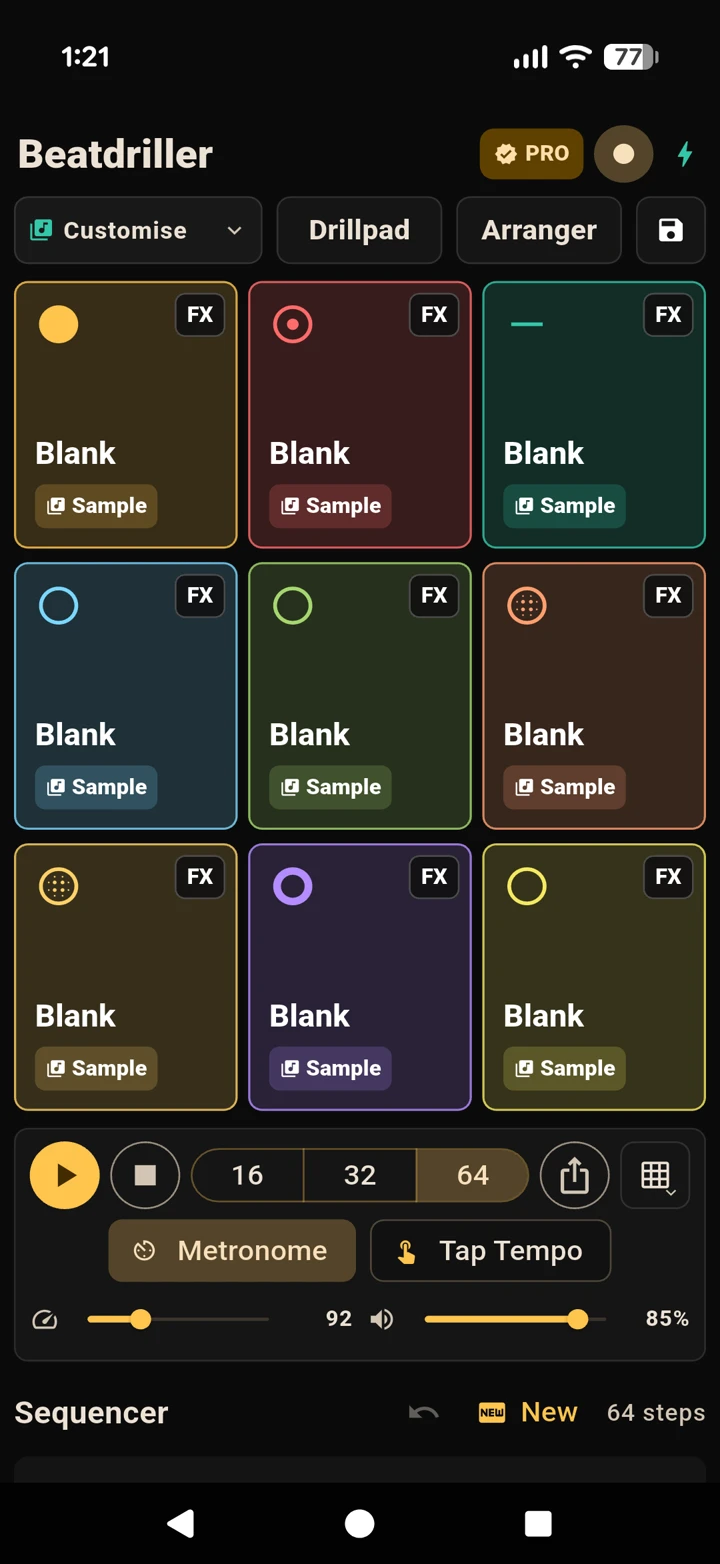
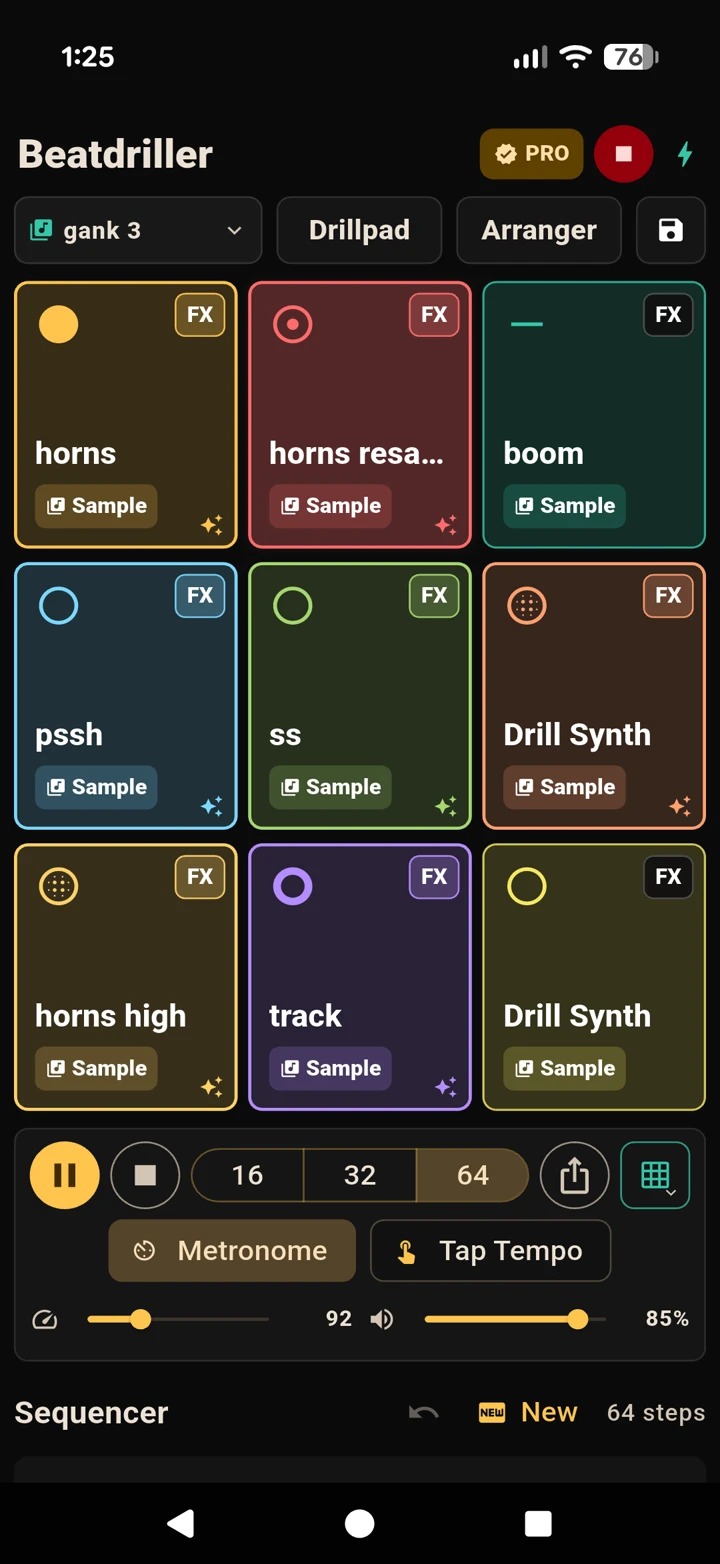
When you open Beatdriller it loads its audio engine and drops you straight onto the main screen. Here’s what each part does, from top to bottom.
From the top of the screen down, you’ll find:
PART 2
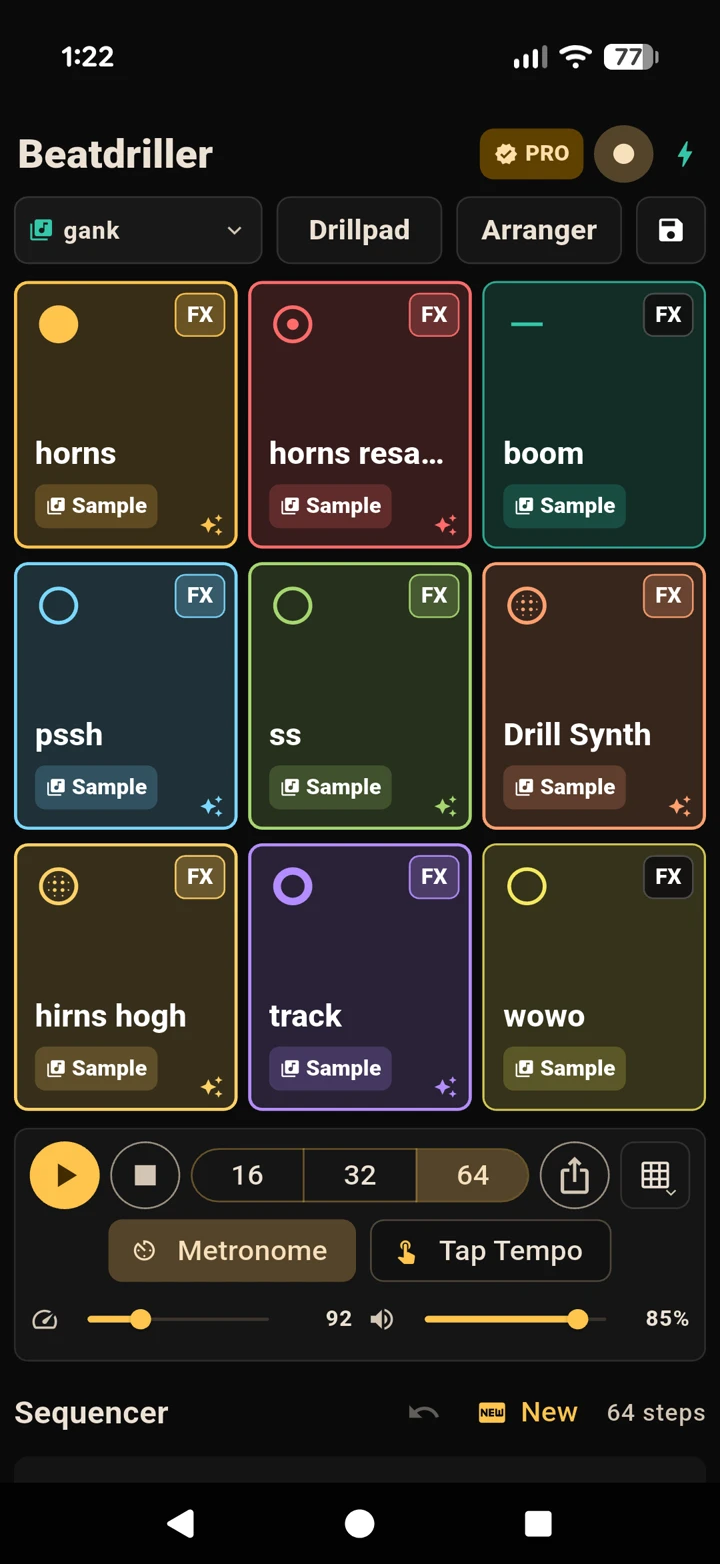
The fastest way to make a sound. Beatdriller opens on the built-in Rock Kit, so you can start playing the moment it loads.
Tap any of the nine pads to fire its sound. Beatdriller uses a custom low-latency engine on both iPhone and Android, so the sound triggers the instant your finger lands - no lag. Pads flash as they play.
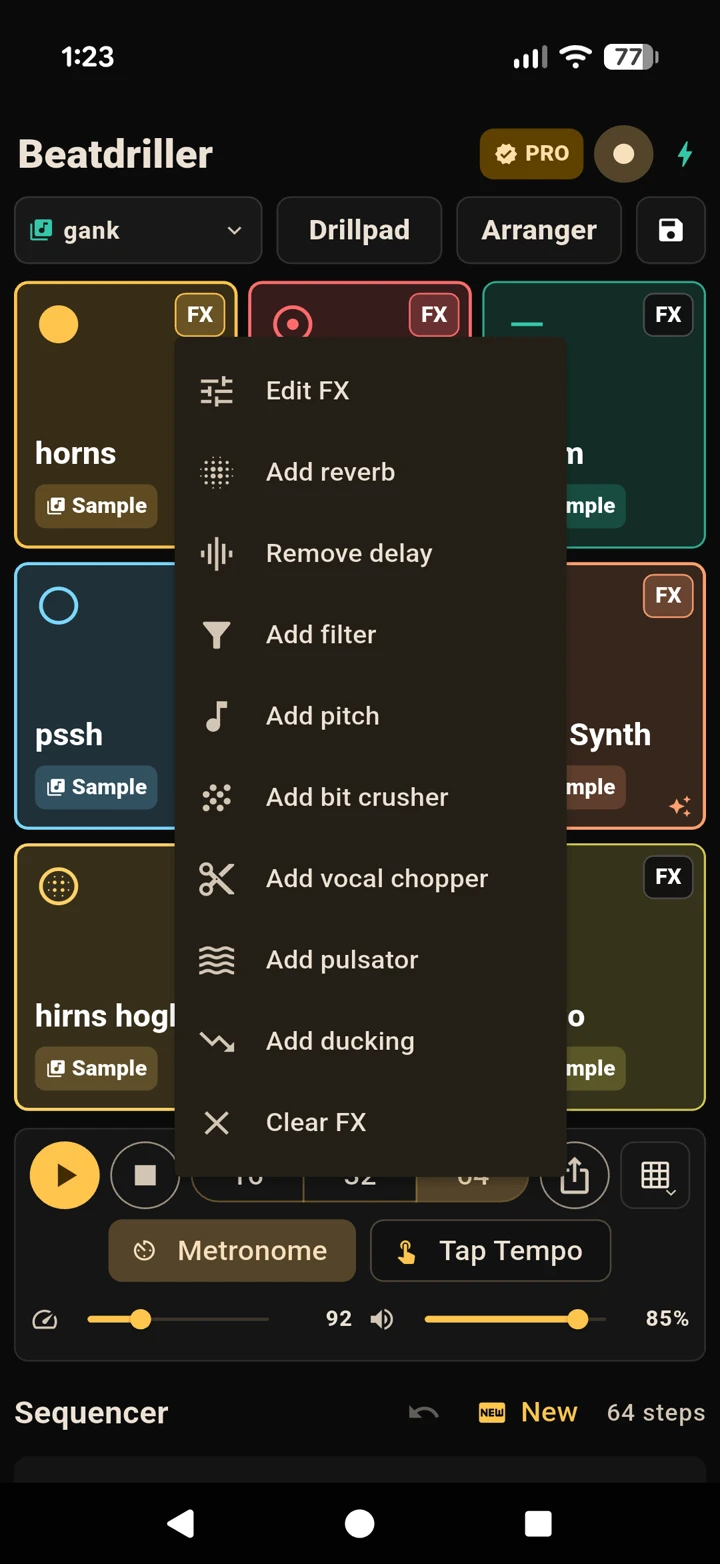
Every pad has its own effects rack. Tap the small FX button on a pad to open it, then add any of:
Each effect has an Amount slider. Use Clear FX to remove them all and start over.
PART 3
The step sequencer turns your pads into a looping pattern. Switch a step on and it plays that pad every time the loop comes around.
Each row is a pad and each column is a step in time. Tap a cell to switch the step on; tap again for a louder double-hit; tap once more to clear it.
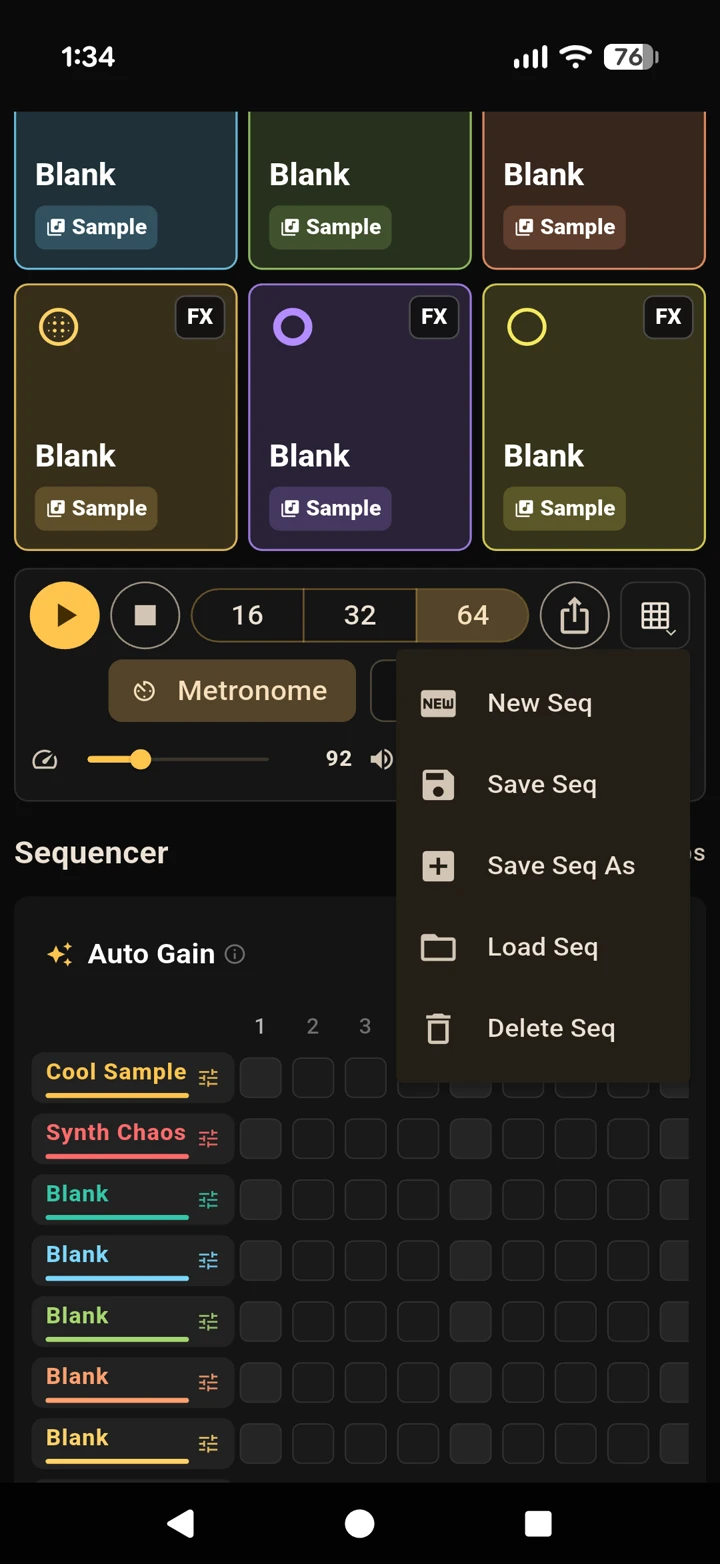
The fader on the left of each row sets that track’s volume so you can balance the mix. Made a mistake? Use Undo. Want a clean slate? Tap New Seq.
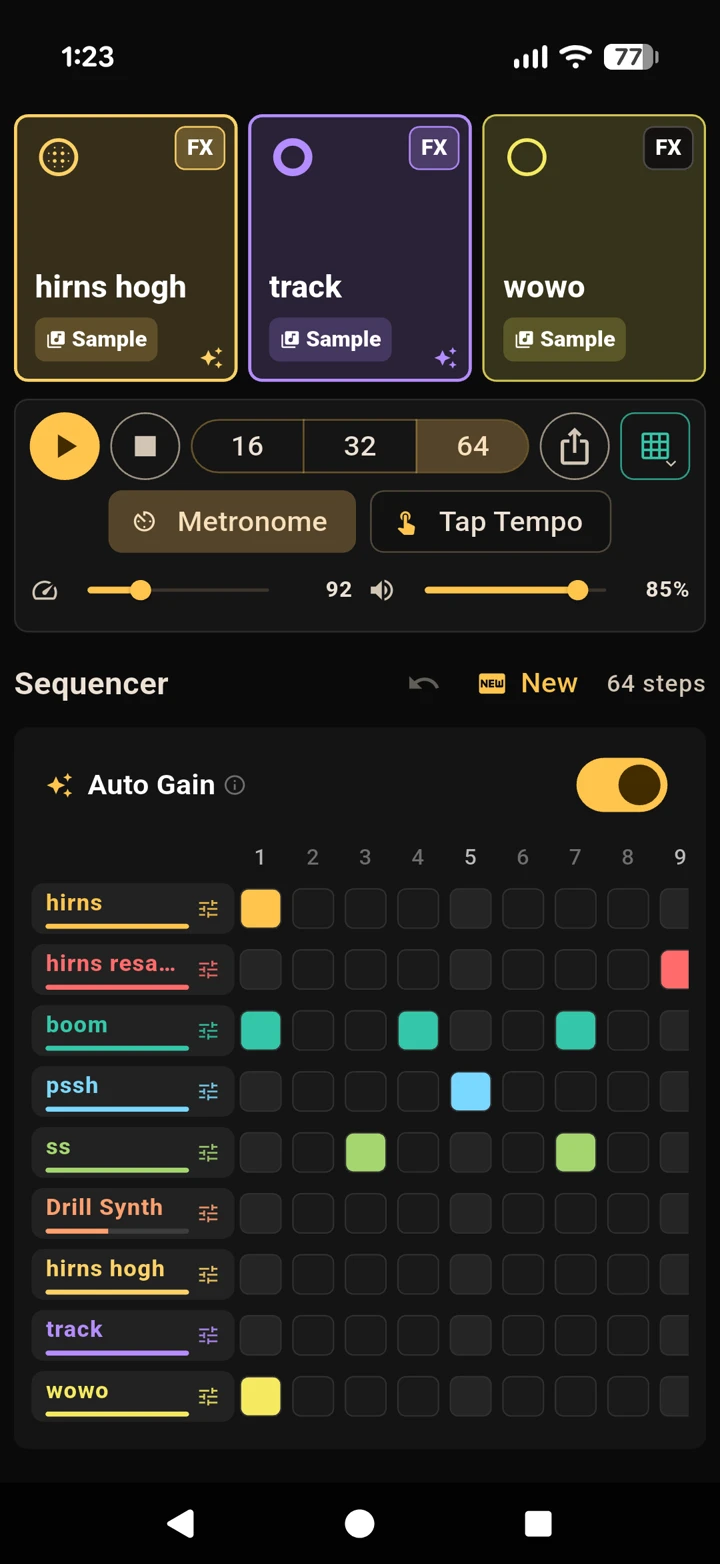
Press Play to start the loop and Stop to reset to the beginning. Then dial in the feel:
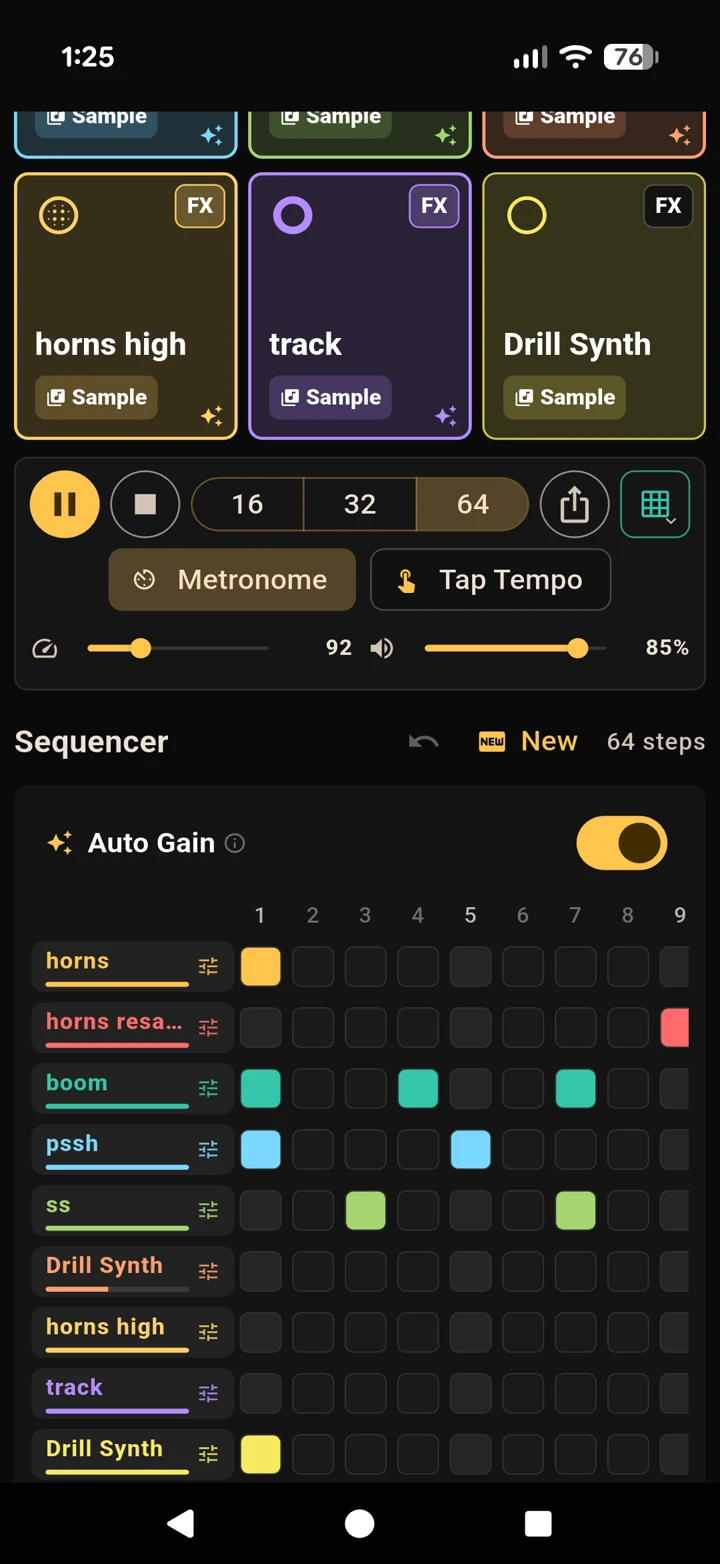
Prefer to play it in? Tap the Record button in the header. Beatdriller counts you in with the metronome, then captures whatever you tap on the pads - automatically quantized onto the grid so it lands in time. Tap Stop when you’re done and your performance is in the sequencer.
PART 4
Beyond the built-in kit, you can fill nine pads with your own sounds - recorded, imported, even pulled from a video - and save the result as a custom kit.
Open the kit selector in the kit bar and choose Customise (or New Kit). You now have nine blank pads ready to fill with your own sounds.
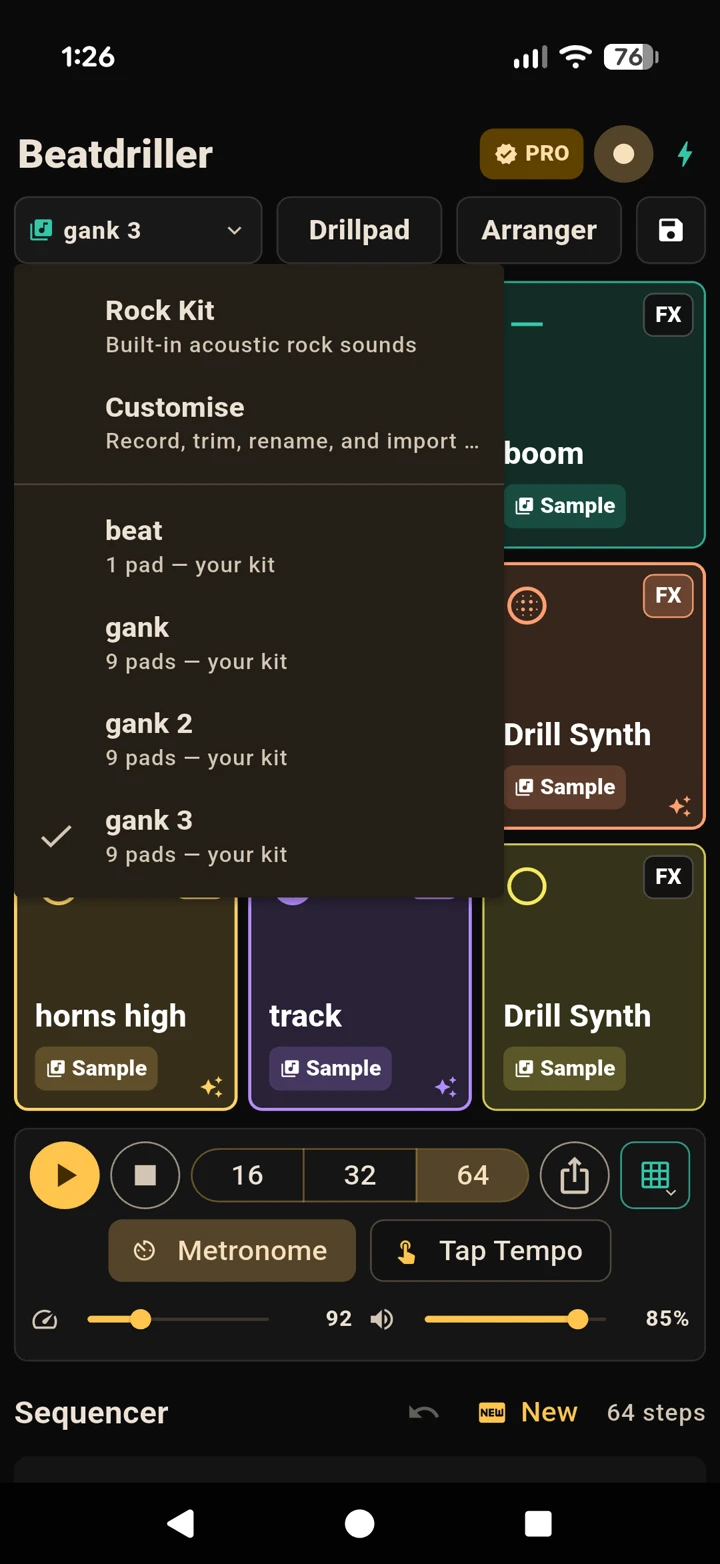
Tap a blank pad and choose Record a sound. Allow microphone access the first time, hit record, and capture anything - your voice, a tap on the desk, an instrument. When you stop, it drops straight onto the pad.
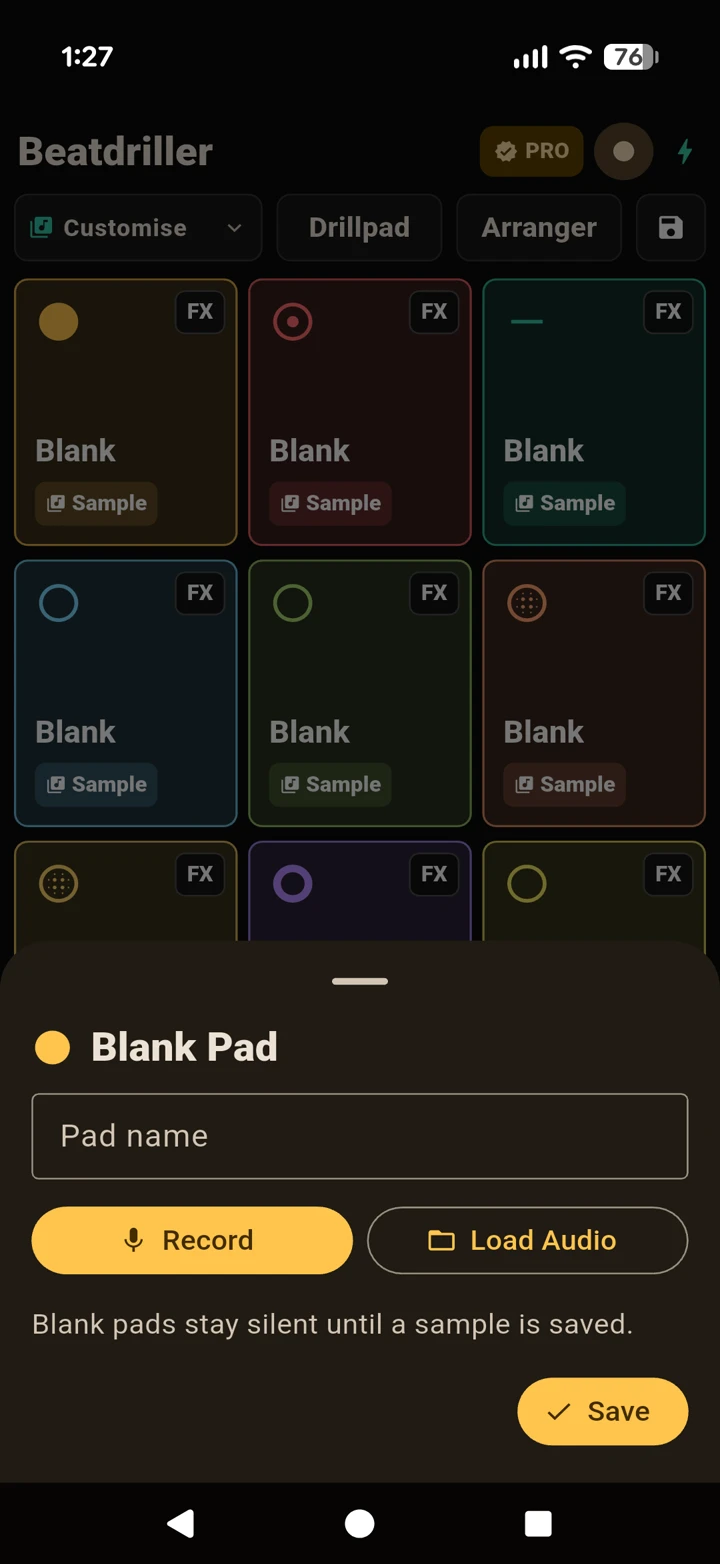
From the same picker, choose Browse files (any audio or video file) or Pick from Photos (a video or screen recording). If you pick a video, Beatdriller pulls the audio out of it for you automatically.
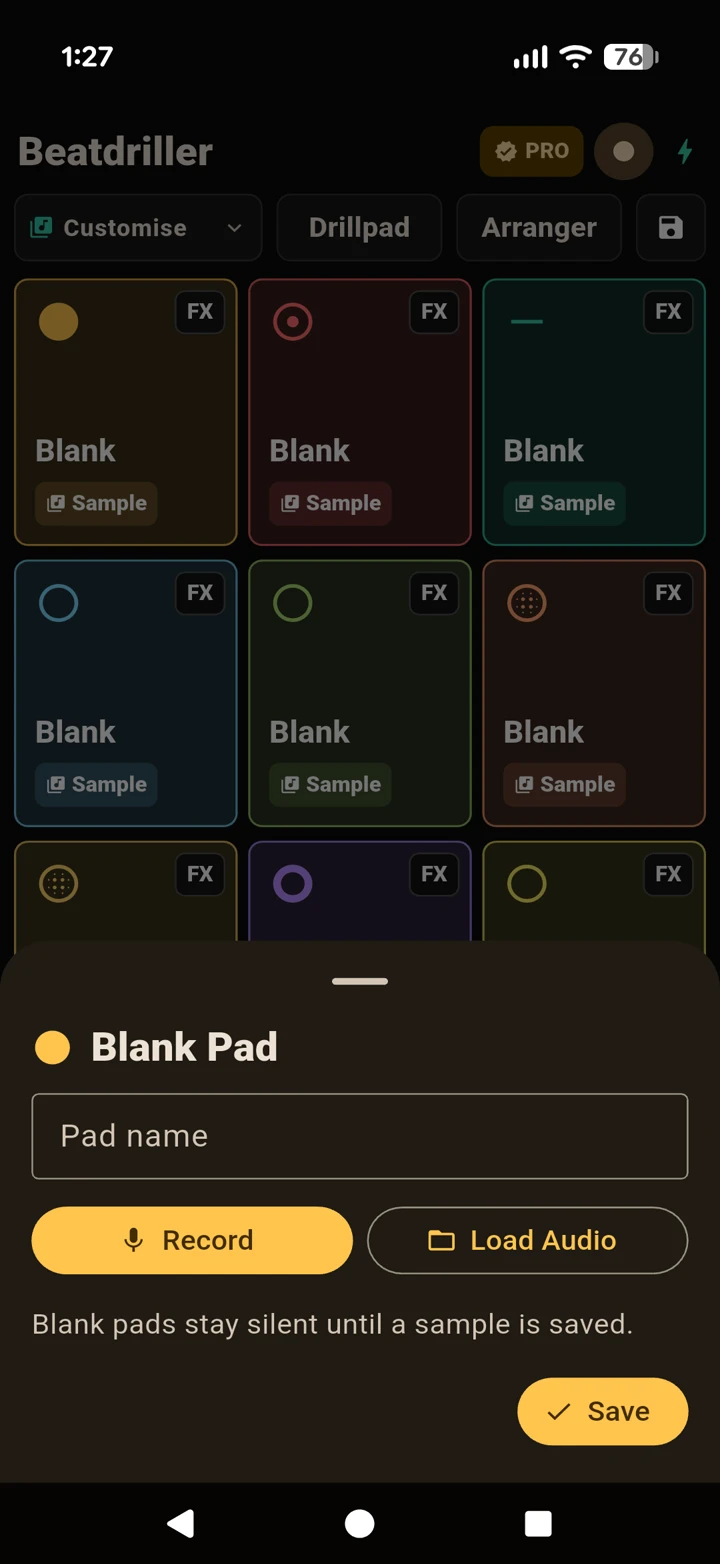
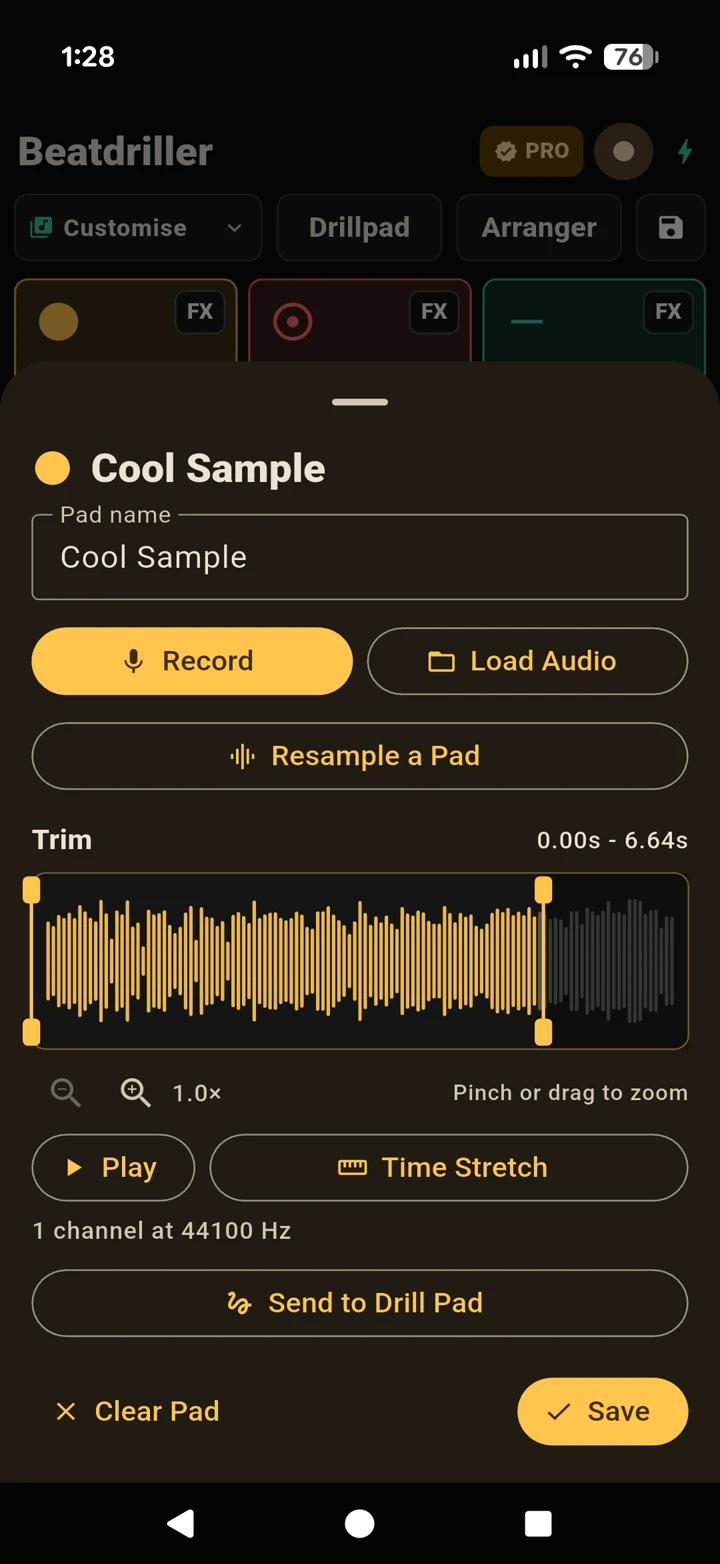
Drag the handles across the waveform to keep just the part you want. Beatdriller adds tiny fades at the edges so there are no clicks or pops. Preview it, then confirm to load it onto the pad.
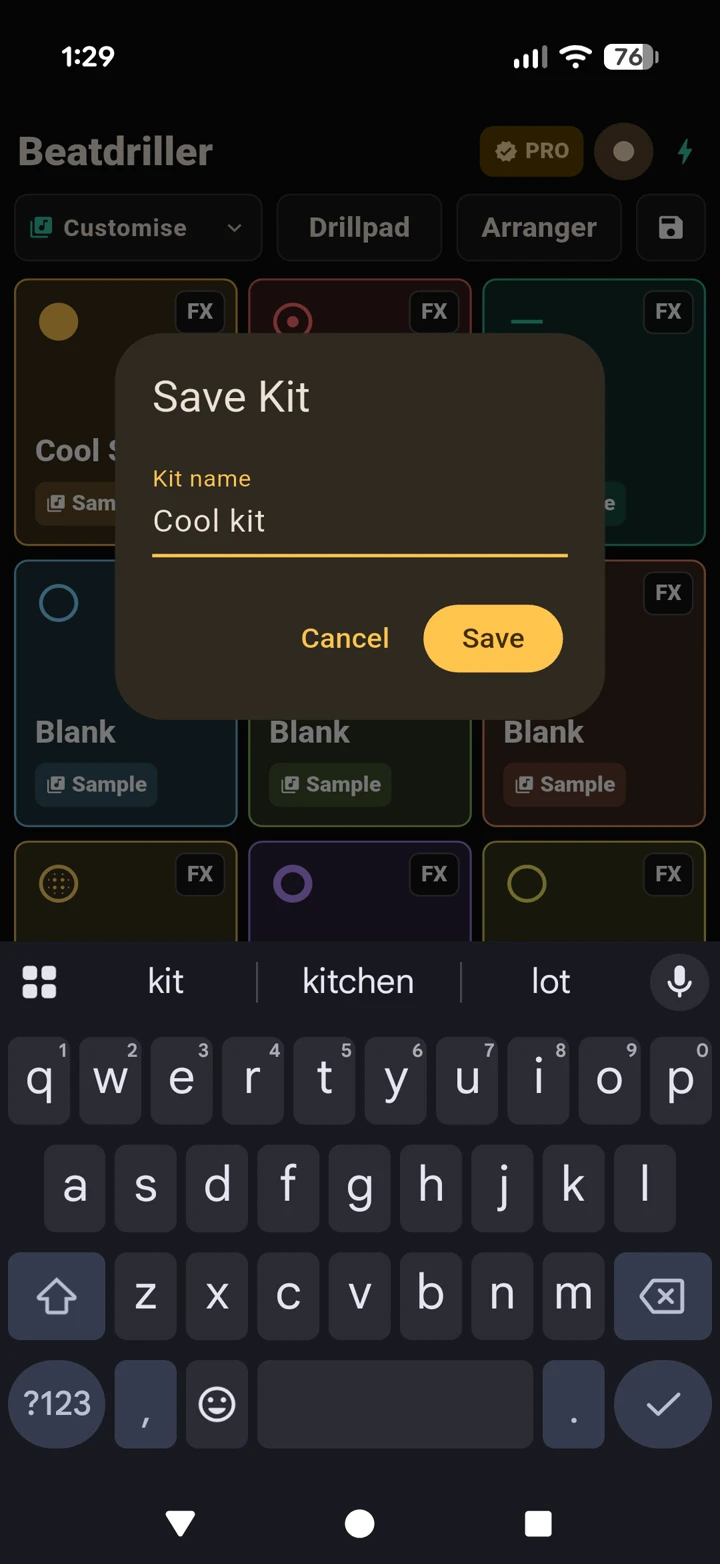
Fill as many pads as you like (and add per-pad FX if you want), then tap Save Kit As and give it a name. It appears in your kit list, ready to reload any time.
PART 5
The Drillpad is a performance synth you play by dragging your finger across a big XY pad. It’s where Beatdriller’s most unhinged sounds come from.
From the kit bar, tap Drillpad. The big square in the middle is the XY pad - drag your finger anywhere on it to play.
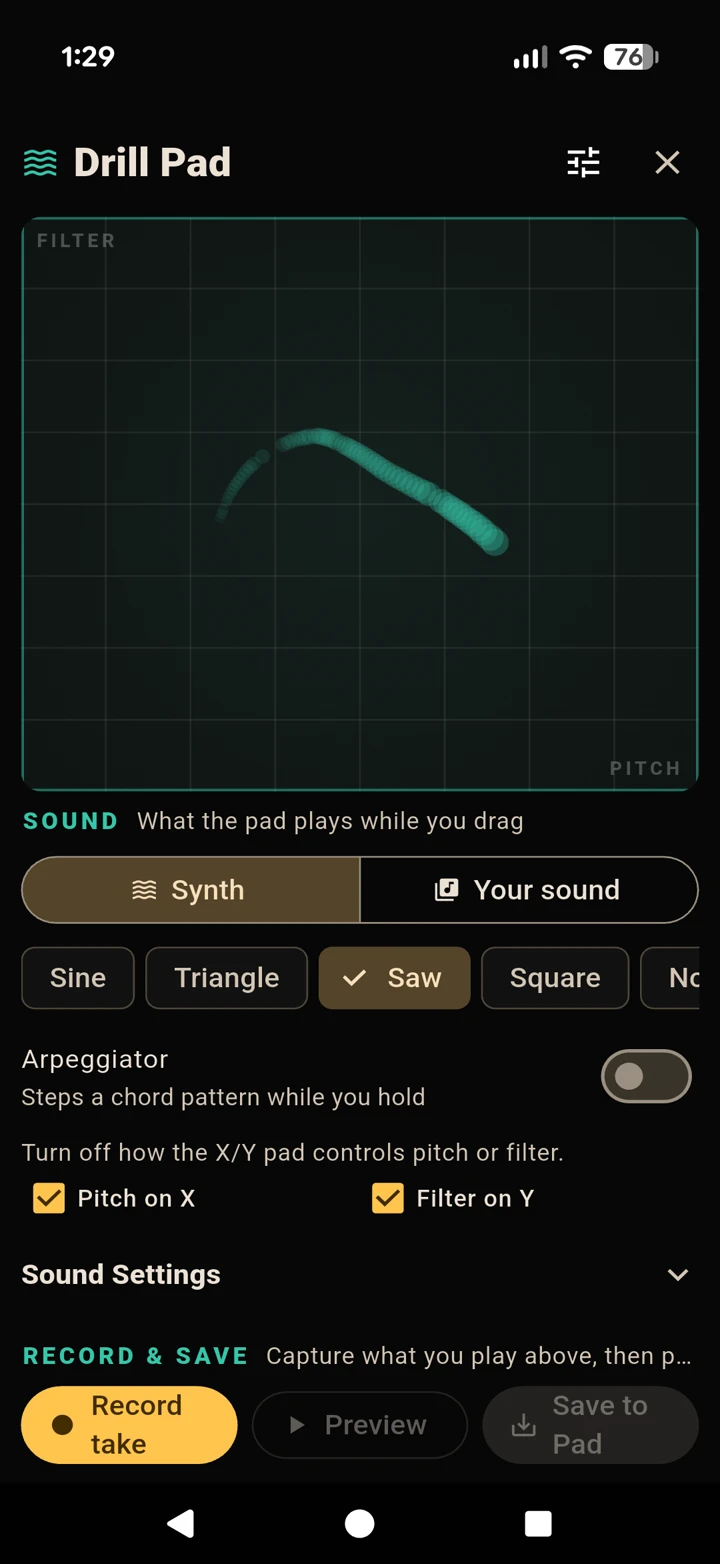
As you drag:
In the SOUND section, choose your source - the built-in Synth or Your sound - then, for the synth, pick a waveform: Sine, Triangle, Saw, Square or Noise. You can also toggle Pitch on X and Filter on Y on or off.
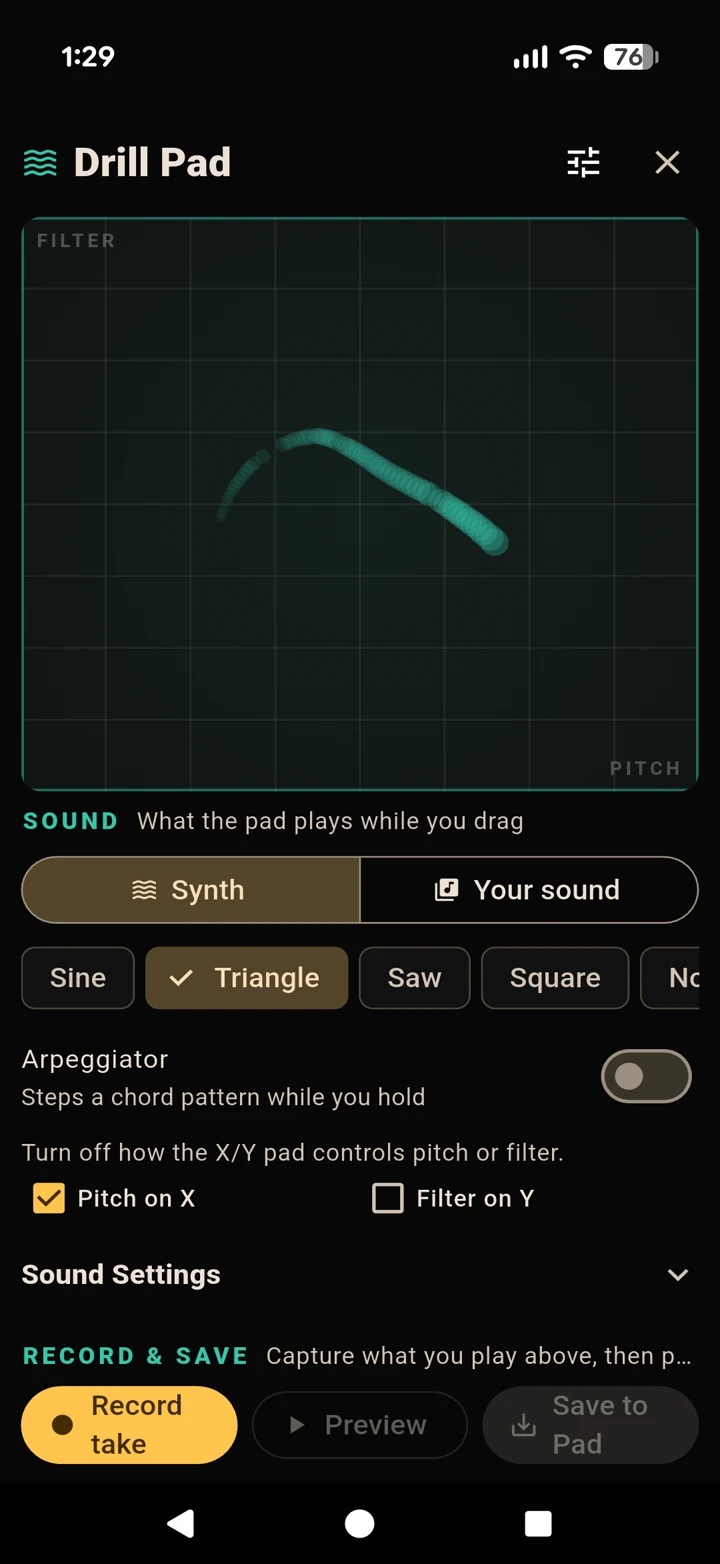
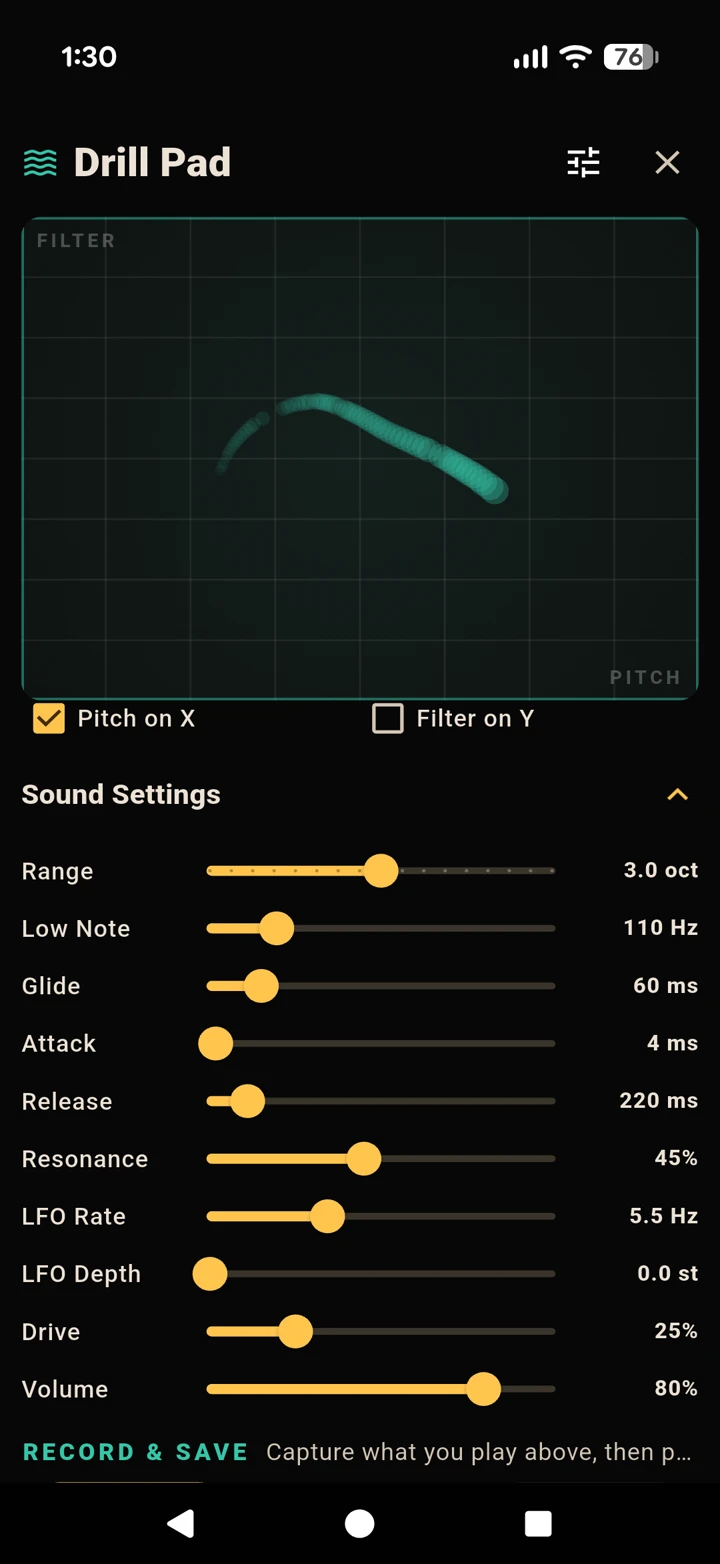
Open Sound Settings to fine-tune the synth: the pitch Range and Low Note, Glide, an Attack / Release envelope, filter Resonance, Drive, an LFO for vibrato (rate and depth) and the output Volume.
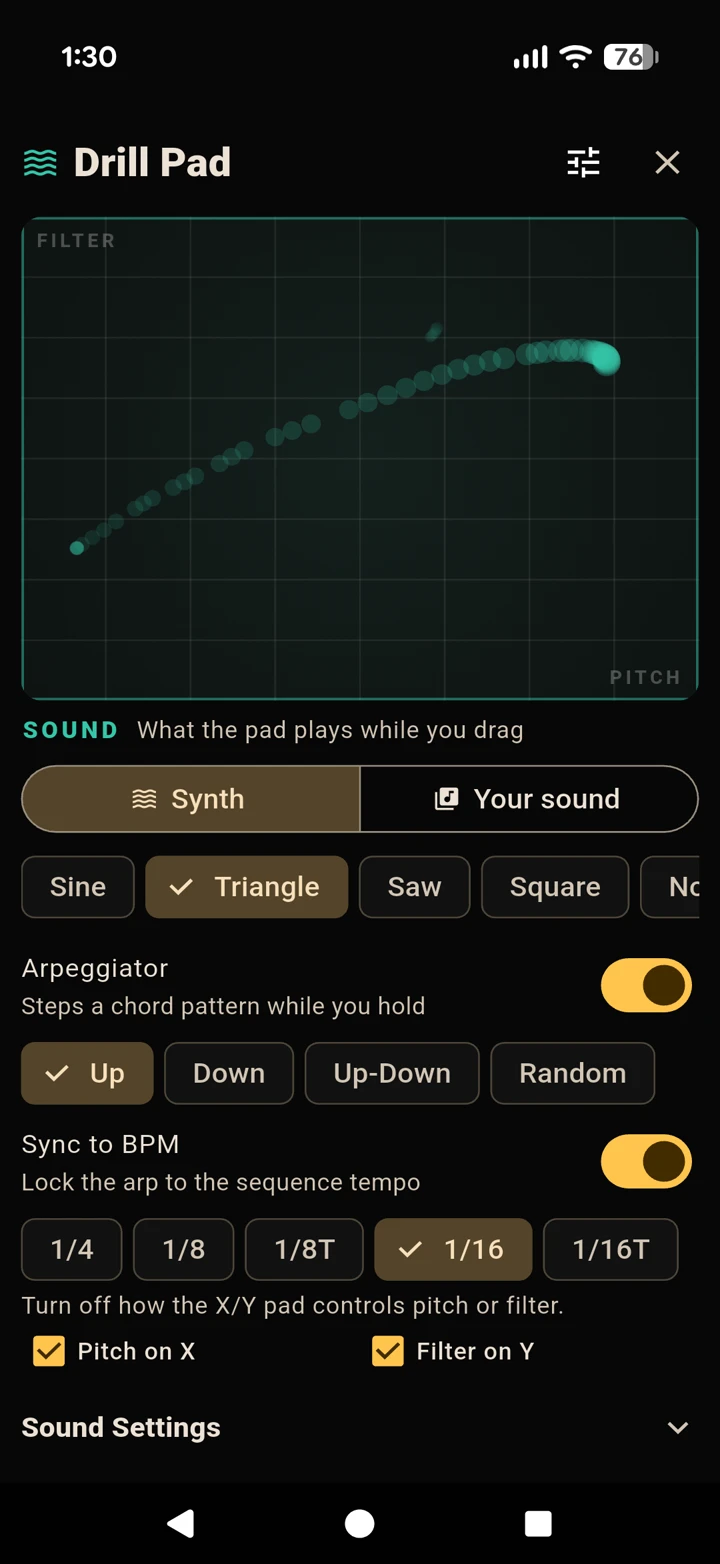
Switch on the Arpeggiator to step through a chord pattern automatically while you hold a finger down. Pick a direction - Up, Down, Up-Down or Random - set the Arp Rate by hand, or enable Sync to BPM to lock it to your beat’s tempo.
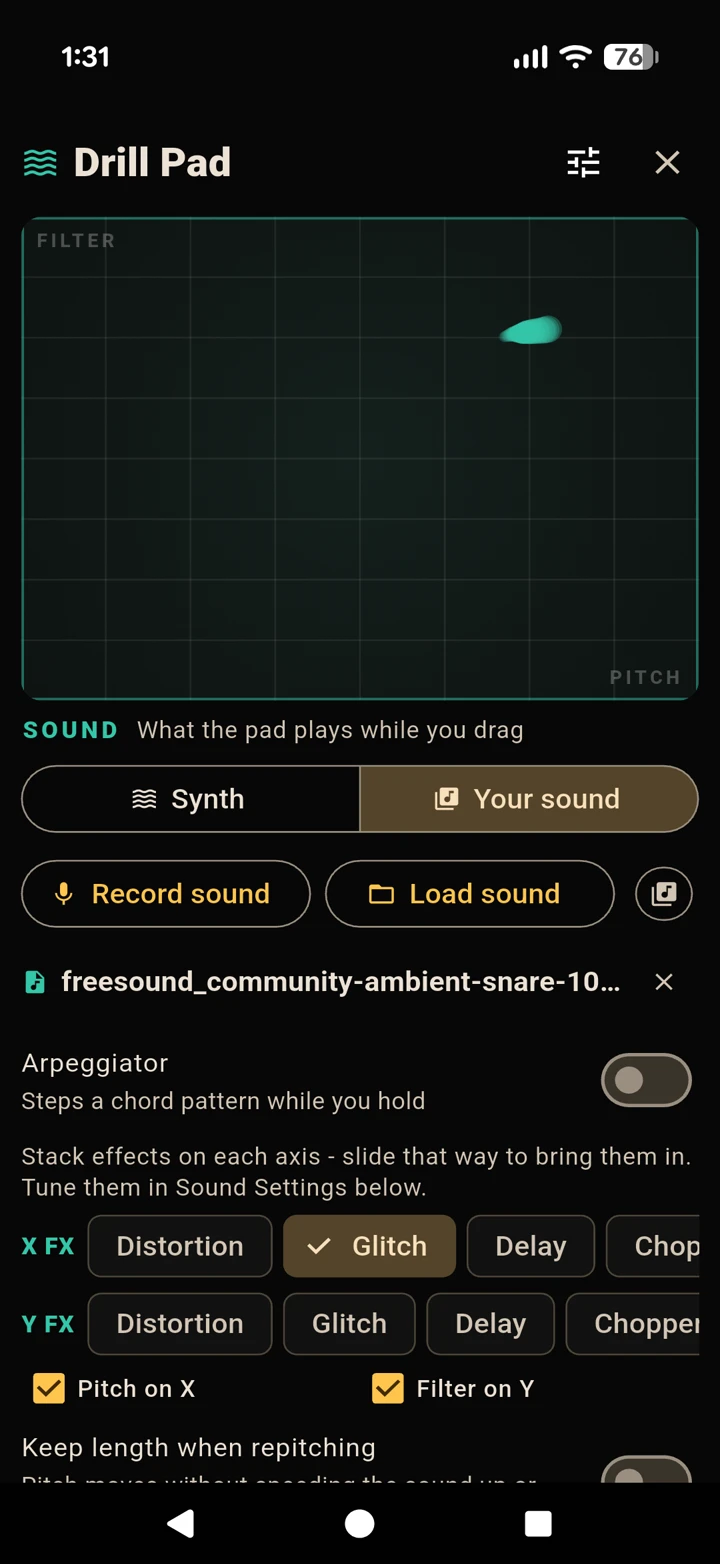
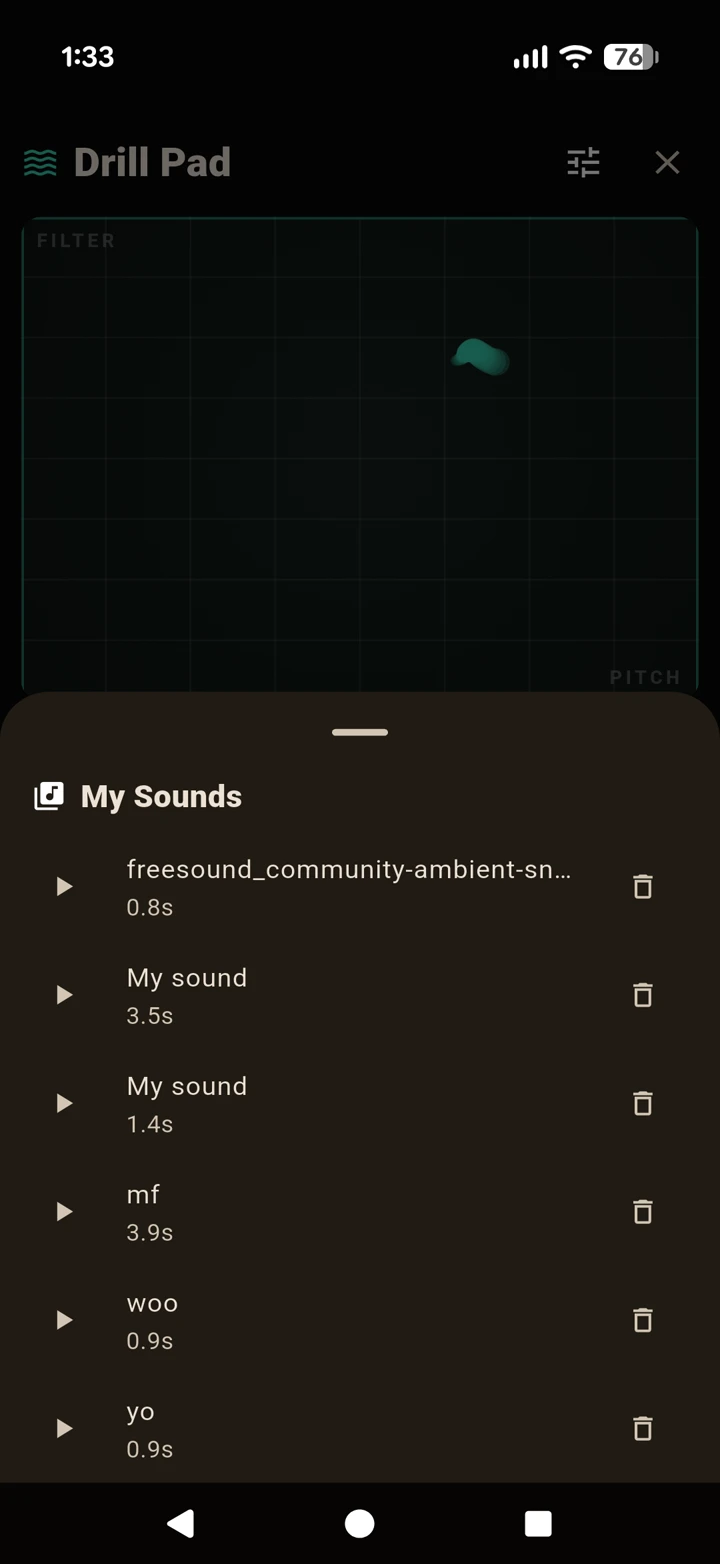
Switch the source to Your sound (load or record a sample) and you unlock X FX and Y FX. Stack any combination of Delay, Chopper, Ducker, Crush, Distortion and the Glitch chunk-rearranger onto each axis - then the position of your finger drives them live as you drag.
Not sure where to start? Tap Presets for instant jumping-off points - Drill Lead, Acid Bass, Laser FX, Sub Drone and Noise Sweep - then tweak from there.
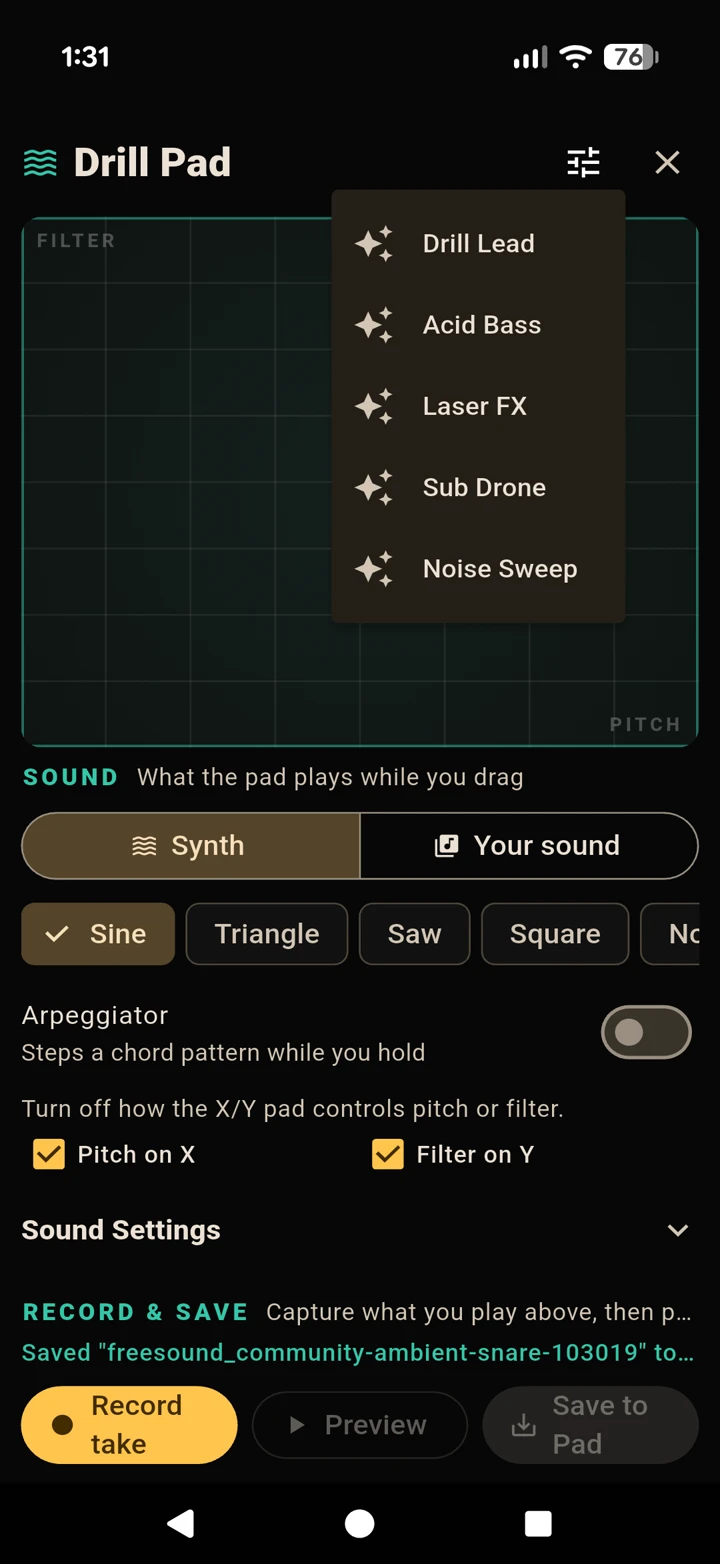
In the RECORD & SAVE section, tap Record take, perform on the pad, then trim it. Choose Save to Pad to drop it onto a drum pad, or Save to kit. Your Drillpad creation becomes a playable drum you can sequence like any other.
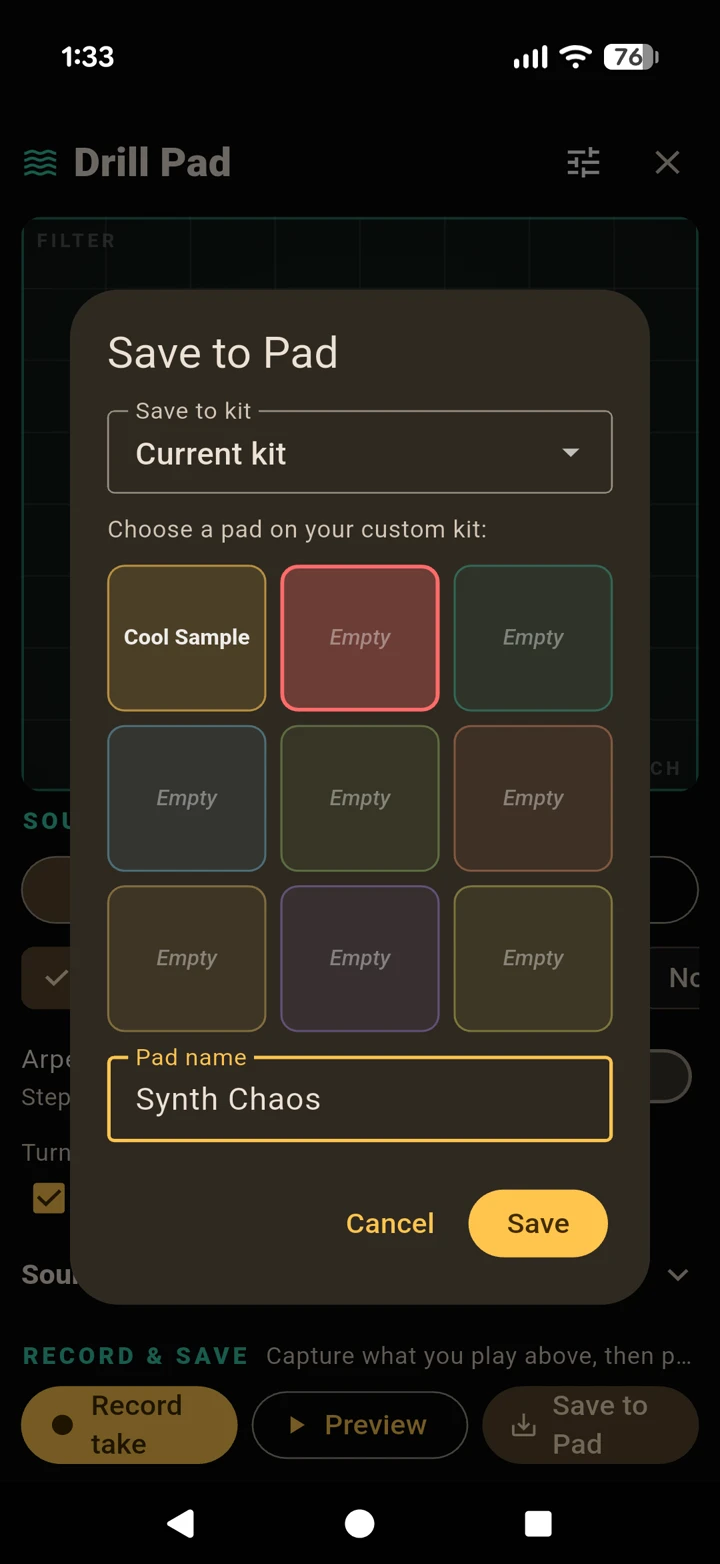
Save any take to your My Sounds library and reload it in a later session - your sound bank grows with you.
PART 6
Nothing you make is throwaway. Everything saves straight to your phone, with no limits on the free plan.
Use Save Kit / Load Kit for kits, Save Seq / Load Seq for beats, plus saved songs and My Sounds. There’s no cap on how much you can store.
PART 7
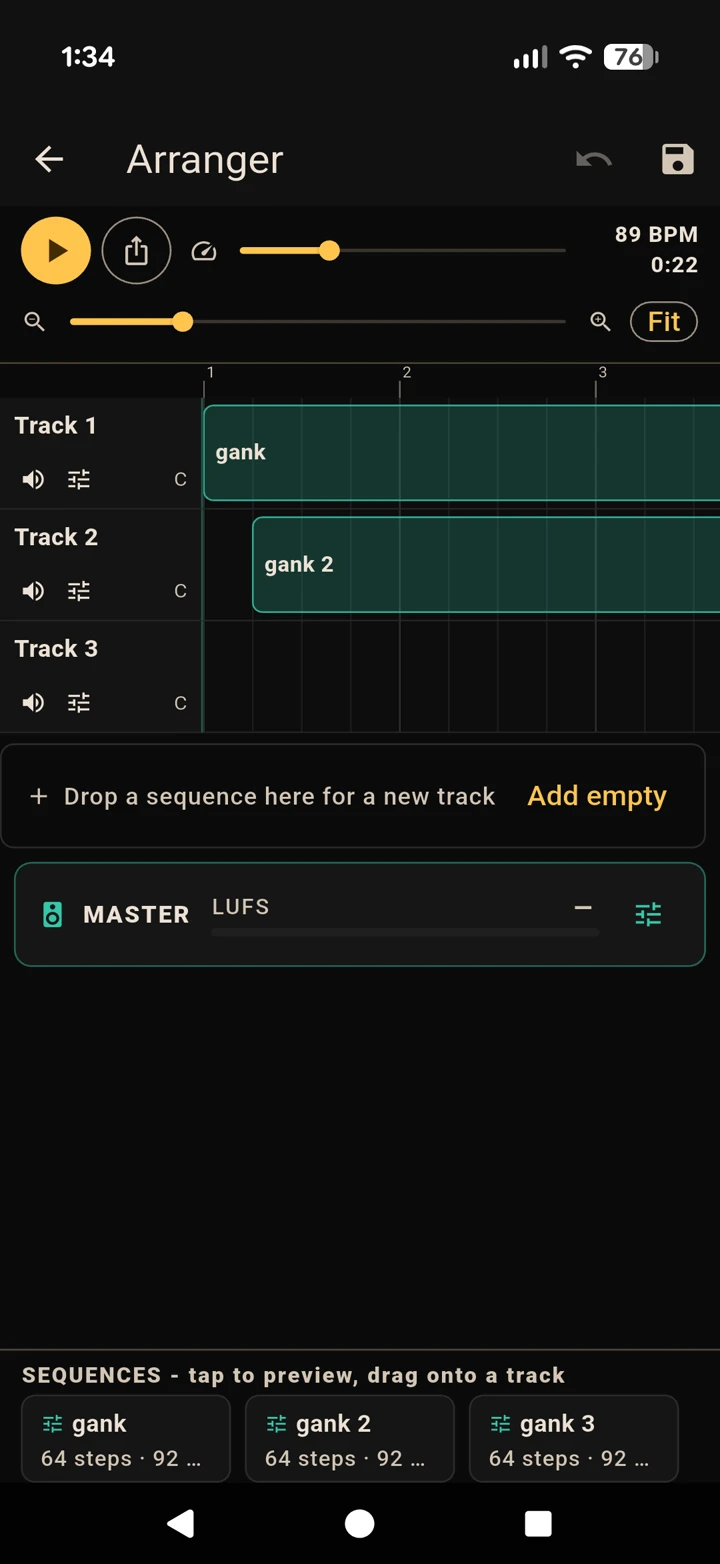
Once you have a few beats saved, the Arranger lets you lay them out into a finished track on a multitrack timeline - up to eight tracks, with mixing and mastering built in.
From the kit bar, tap Arranger. Drag your saved sequences from the palette onto the timeline lanes to place them. Drop one below the last lane to start a new track (up to 8).
Zoom in and out with the slider or tap Fit, and tap the ruler at the top to scrub through the song.
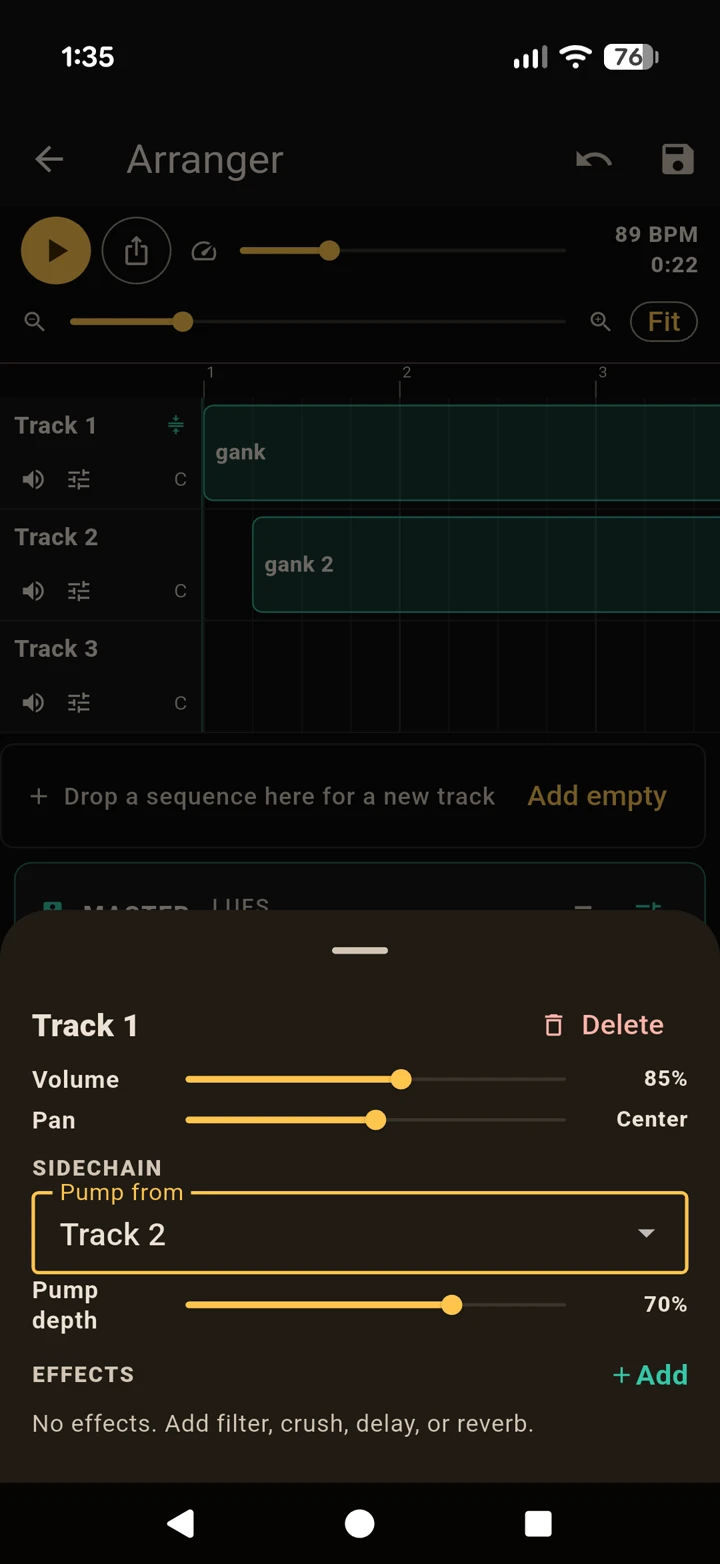
Tap a track to open its strip, where you can set:
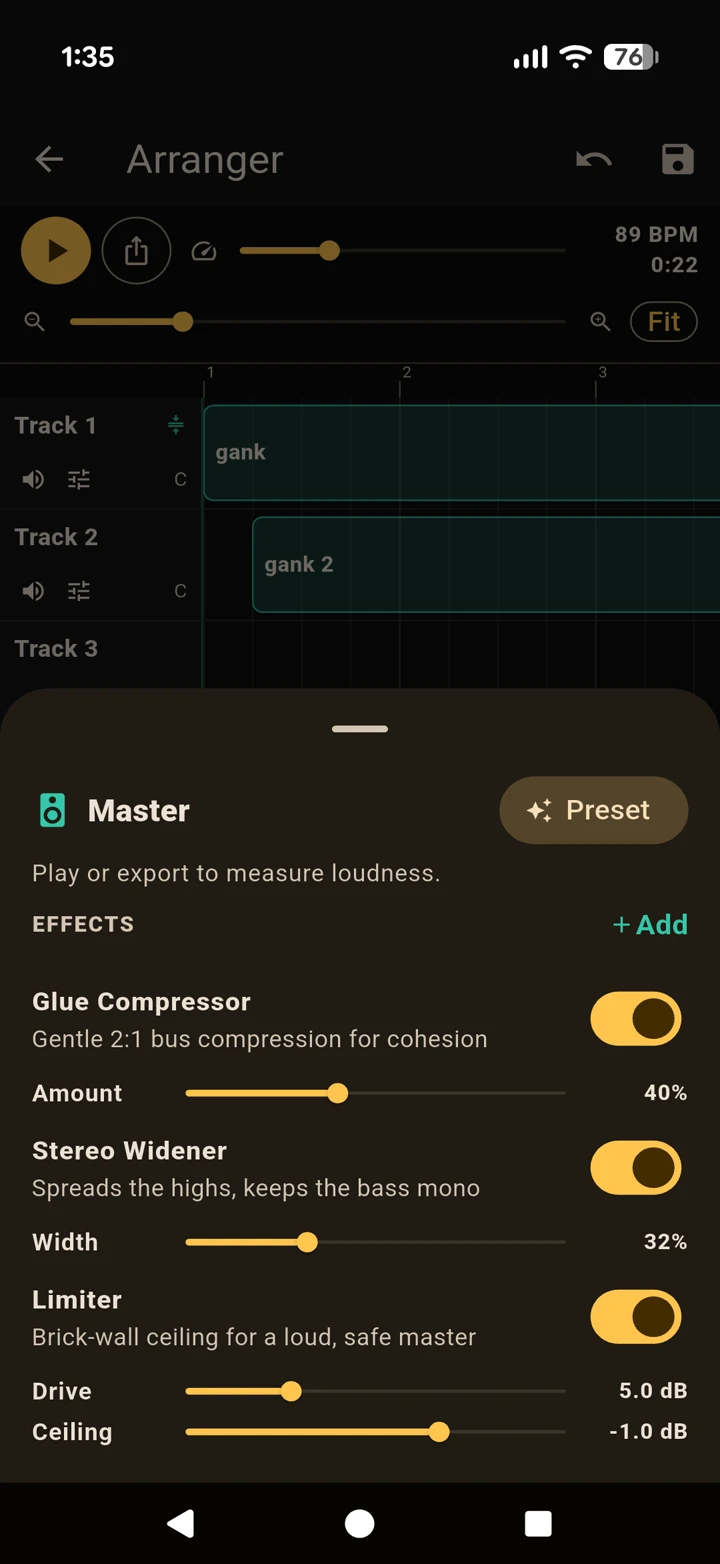
The MASTER strip glues the whole mix together with a Glue Compressor, a Stereo Widener and a Limiter. Tap Preset for an instant mastering chain, and keep an eye on the LUFS meter to judge loudness. Hit Play song to hear it all together.
PART 8
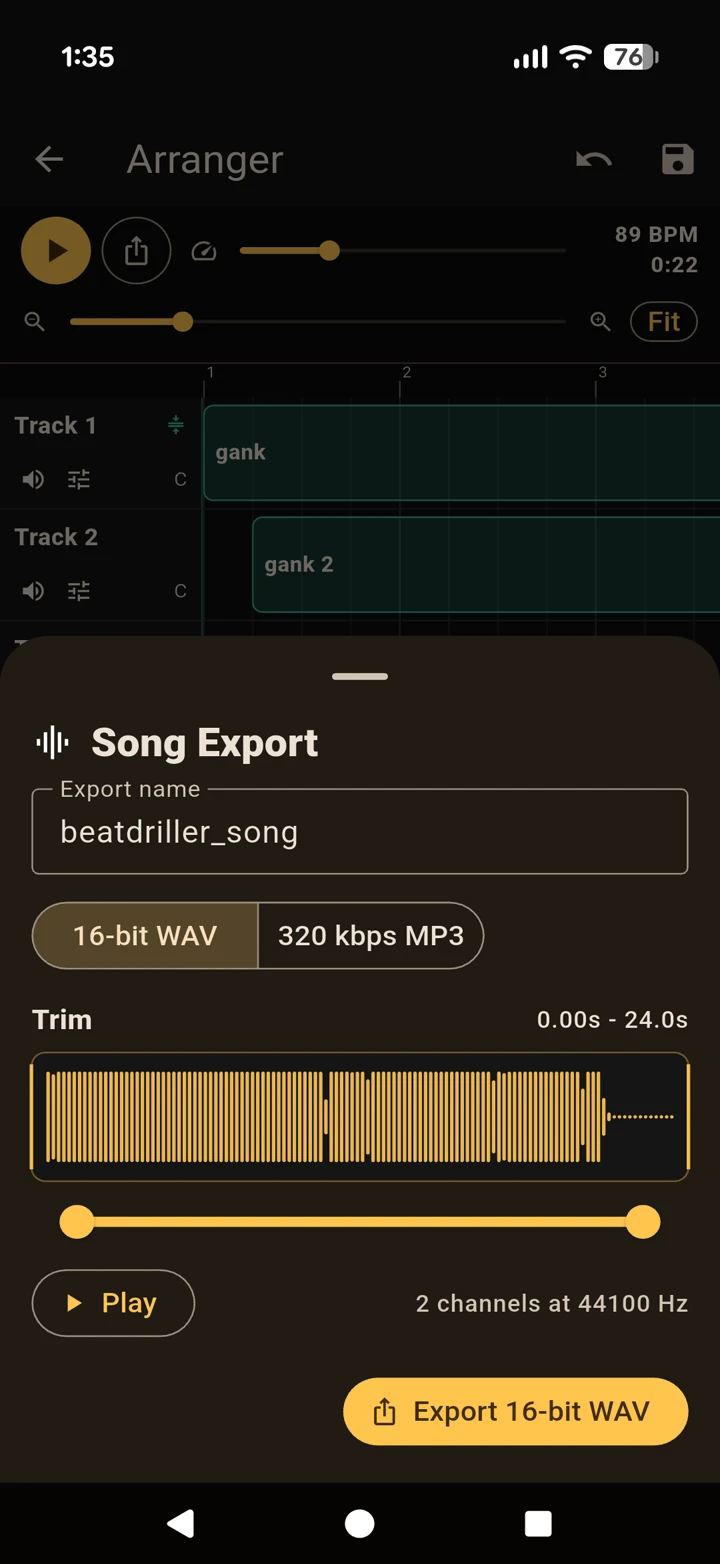
When a beat or a full song is ready, render it to a real audio file you can share or use anywhere.
Use the Export button on the main screen (for a sequence) or Export song in the Arranger. Name your file, trim the start and end on the waveform, pick WAV or MP3, and share it straight from your phone.
PART 9
Beatdriller is free, and stays generous - Pro is purely about removing interruptions.
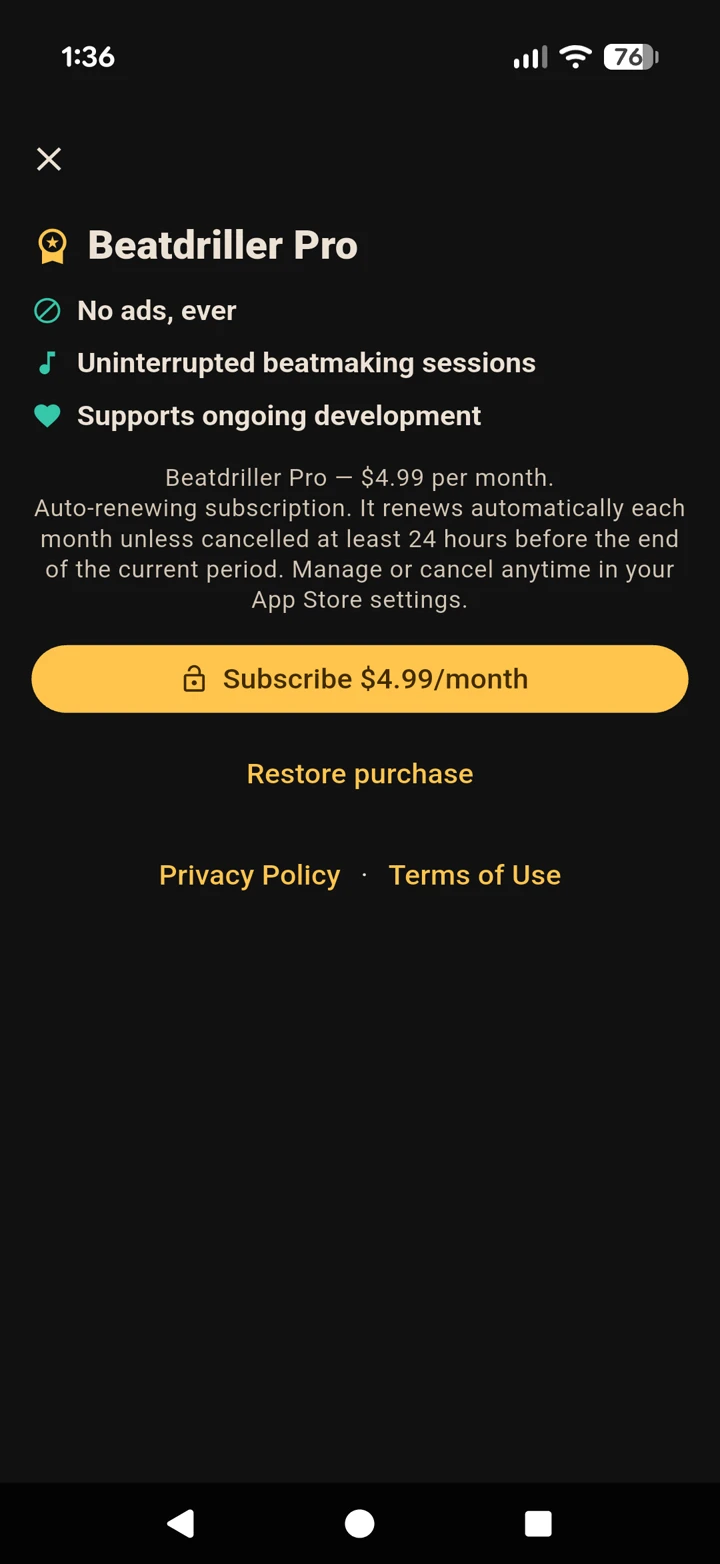
The whole app - unlimited saves, every effect, the arranger and export - is free. Tap PRO at the top of the screen to upgrade: Beatdriller Pro simply removes the ads for uninterrupted sessions. Already bought it on another device? Use Restore purchase.
Free to download on iPhone and Android, with unlimited saves. Beatdriller Pro just removes the ads.